VS Code: ホストのssh鍵をコンテナから利用/リモートコンテナからGitHubへのpush時のHost key verification failedエラー解決法
· 3 min read

Mac OS 10.15.4, Visual Studio Code v1.44.2において、リモートコンテナ(dev container)上からソースコードをGitリポジトリへコミット、GitHubへプッシュを試みたところ、下記のエラーが発生しコミット及びプッシュが完了しない事象が発生。
Mac OS 10.15.4, Visual Studio Code v1.44.2において、リモートコンテナ(dev container)上からソースコードをGitリポジトリへコミット、GitHubへプッシュを試みたところ、下記のエラーが発生しコミット及びプッシュが完了しない事象が発生。
Mac上のAnsibleスクリプト用いてリモートにあるLinux(CentOS)へ環境構築を試みたところ、下記のエラーが発生し、sshセッションの確立が不可。
TASK [Gathering Facts] *************************************************************************************************
fatal: [192.0.2.203]: UNREACHABLE! => {"changed": false, "msg":
"SSH Error: data could not be sent to remote host \"192.0.2.203\".
Make sure this host can be reached over ssh", "unreachable": true}
fatal: [192.0.2.201]: UNREACHABLE! => {"changed": false, "msg":
"SSH Error: data could not be sent to remote host \"192.0.2.201\".
Make sure this host can be reached over ssh", "unreachable": true}
SSHポートフォワーディングFTP (FTP over SSHとも言う)とSFTPの主な違いについてIBM i OSユニークな点も含めて下表に纏める。
IBM iのOSバージョンによってOpenSSHのconfigファイルの保管ディレクトリが異なるため、ここに(コピペし易いように) 纏めておく。下表で分かる通り、OSバージョン毎の差異はOpenSSHのバージョンとなる。(≒5733-SC1 IBM portable utilities for i)
先日自宅のQNAP NASサーバーのファームウェアをWeb UIよりアップグレードを試みたところ、下記のエラーが発生。
[Firmware Upgrade] System update failed.
No enough space on RAM/ disk available for firmware update.
本記事では原因等は記載はせず、対処法のみ紹介。
sshでホストサーバに対してログインを試みた際、下記のWarningメッセージが出力されログインできない。
実行環境はMac OS。
$ ssh root@172.16.56.135
@@@@@@@@@@@@@@@@@@@@@@@@@@@@@@@@@@@@@@@@@@@@@@@@@@@@@@@@@@@
@    WARNING: REMOTE HOST IDENTIFICATION HAS CHANGED!     @
@@@@@@@@@@@@@@@@@@@@@@@@@@@@@@@@@@@@@@@@@@@@@@@@@@@@@@@@@@@
IT IS POSSIBLE THAT SOMEONE IS DOING SOMETHING NASTY!
Someone could be eavesdropping on you right now (man-in-the-middle attack)!
It is also possible that a host key has just been changed.
The fingerprint for the RSA key sent by the remote host is
07:1a:62:b4:68:79:6e:53:dd:1e:ca:e1:28:89:7a:78.
Please contact your system administrator.
Add correct host key in /Users/yu/.ssh/known_hosts to get rid of this message.
Offending RSA key in /Users/yu/.ssh/known_hosts:5
RSA host key for 172.16.56.135 has changed and you have requested strict checking.
Host key verification failed.
$
Warningメッセージに記載の通りで、「ホスト側の鍵が変わっている。誰か何か(盗聴とか)やってるかも」とのこと。今回はVMWare上のゲストOSのsshdを再構築・鍵の再作成した為、上述のWarningが発生。
known_hostsファイルの当該行を削除することで解決可能。上記のWarningだと.ssh/known_hostsの5行目172.16.56.135のエントリが該当。
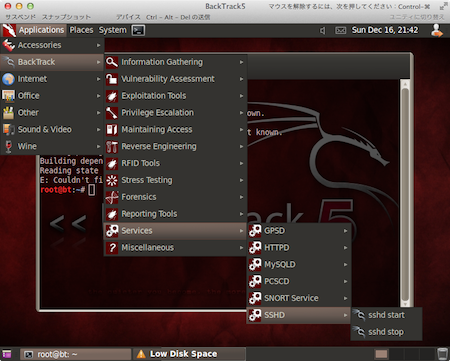 VMware Fusion上の仮想BackTrack5(GNOME 64bit版)にデフォルトで導入されているsshdを起動した状態でホストOS (Mac OS)のTerminalクライアントからssh接続を試みたところ、下記のエラーが発生した。