Nginx: Let's EncryptのTLS/SSL証明書の更新方法(手動)
· 約5分

3ヶ月ほど前に本ブログのサーバを更改の上、https化対応を実施。TLS証明書についてはフリーのLet's Encryptより発行したが、当該証明書の有効期間は90日である為、先日初回の更新を行った。本記事はその際の作業手順を記載したもの。
3ヶ月ほど前に本ブログのサーバを更改の上、https化対応を実施。TLS証明書についてはフリーのLet's Encryptより発行したが、当該証明書の有効期間は90日である為、先日初回の更新を行った。本記事はその際の作業手順を記載したもの。
SSHポートフォワーディングFTP (FTP over SSHとも言う)とSFTPの主な違いについてIBM i OSユニークな点も含めて下表に纏める。
WordPressログイン時に下記のメッセージが出力されて管理画面にログインできない。 
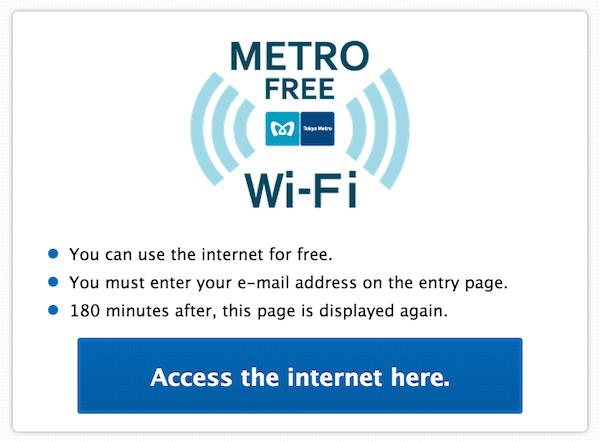 This cafe is very convenient for me to get free Wi-Fi and it is called "METRO FREE Wi-Fi", because it is close to Nishi-Shinjuku metro station. By the way, before users are authorized by the server, users can send ping any destination but aren't allowed to transfer any TCP/IP packets. It's to be expected that the provider wants to restrict the unauthorized user to prevent any unexpected and malicious behavior.
$ ping google.co.jp
PING google.co.jp (173.194.126.247): 56 data bytes
64 bytes from 173.194.126.247: icmp_seq=0 ttl=47 time=14.569 ms
64 bytes from 173.194.126.247: icmp_seq=1 ttl=50 time=10.830 ms
^C
--- google.co.jp ping statistics ---
3 packets transmitted, 2 packets received, 33.3% packet loss
round-trip min/avg/max/stddev = 10.830/12.700/14.569/1.869 ms
$ ssh yukun.info
^C # <-- I can't connect the server.
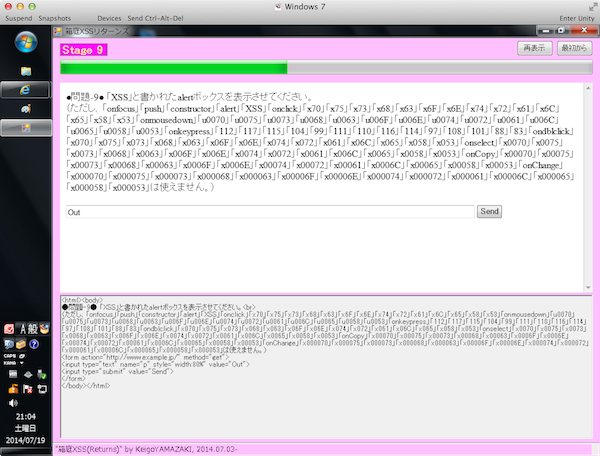 I participated in SECCON at the Japanese competition of information security with my colleagues as a team in 19th, July. The final ranking was 43 out of 425 teams. (Japanese official site)
We started from 9:00 and ended at 21:00 (12 hours!) so I was very exhausted but I was so excited when I was able to solve the parts of some problems. Moreover, I could improve my security skills and recognize my weak points in the field. It was a very valuable event. When I have a chance to attend such competition in the near future, I'll participate again and of course, I'll prepare by improving my skill every day to contribute.
本記事はWAF (Web Application Firewall)ソフトでApacheモジュールの一つである、ModSecurityのインストール及び簡易的な設定方法を記載する。本運用を考慮した設定は本記事では割愛するが、必要な参考リンクは適時記載するので参照されたし。
ModSecurity:TrustWave社がGPLv2 ライセンスのもと提供しているOSSのWAF。 ModSecurity: Open Source Web Application Firewall 下記の資料にWAFの概要からModSecurityの導入〜運用までの検討ポイントが記載されている。 IPA 独立行政法人 情報処理推進機構:Web Application Firewall 読本 OWASP Core Rule Set:OWASP(Open Web Application Security Project)がGPLv2 ライセンスのもと提供しているModSecurityのルール(シグネチャ)。 Category:OWASP ModSecurity Core Rule Set Project - OWASP Category:OWASP Best Practices: Use of Web Application Firewalls - OWASP OWASP 当サイトを含む下手なブログ記事等を参照するよりも先ずは公式と上記のリンクを読んだ方が理解が早い。
前回の記事に続けて、Tripwireの初期設定、ファイル改竄チェック、レポートファイルの確認、そしてデータベースファイルの更新方法等の改竄検知の運用サイクルを記載。実施環境等は前記事をご参照。また、ここではポリシーファイルの詳細な説明は省く。あくまでツールの基本的な使い方の流れを説明。参考サイトは例によって記事末尾に掲載。 少し復習から入るが、Tripwireでは2つの鍵ファイル(site key, local key)を利用してファイルの暗号化(や署名)を行い、(インストール時に設定を求められたやつ。)site keyはTripwireの設定・ポリシーファイルを保護、local keyはTripwireのデータベースとレポートを保護するもの。 一つのポリシーファイルを複数のホストに適用し、ポリシー制御を集中させ、DB管理とレポートの生成はサーバー個々に分散させる手法もある。
本記事では先日学習したファイル改竄検知検知ツールのTripwireのインストールについて記載。インストール中のスクリーンショットが多いため、インストール後の設定や使い方については別記事として掲載予定。
正常状態でのスナップショットをデータベースに保存し、現在の状態のスナップショット(ハッシュ値)と比較することで改竄を検知。検知対象はポリシーファイルで設定。チェック結果レポートは記載レベルをカスタマイズ可能。レポートのメール送信機能など。また、各種設定ファイルの暗号化機能(大事)。 Tripwire社は商用版・Open Source版の両方を提供。Open Source版は↓。 Looking for Open Source Tripwire? | Tripwire, Inc.
なお、学習用のインストール手法の為、本運用を考慮した手順は省いている。
iptablesのパケットのフィルタチェインの処理フローを復習したので下記に纏める。基本技術なので参考文献が充実しており今更感があるが、手を動かしておかないと忘れそう。。当記事の後続はiptablesコマンドによるルールの設定やnmapによるスキャン検査を記載予定。尚、参考サイトはいつも通り記事末尾に記載(公式ドキュメントで理解を深める or iptableって?方向け)。
sshdの設定と基本操作に関して復習した為、その結果を下記に纏める。
ファイルパスは通常/etc/ssh/sshd_config 。設定記述と各項目の説明は下記リンクをご参照。自身がよく使う設定ディレクティブについて実際の設定ファイルの右記に説明を入れている。説明内容は参考サイトを元にサマライズしている。 sshd_config設定一覧 尚、元となったconfigファイルはDebian 6に導入したOpenSSH_5.5p1 (設定内容については一部修正)。 下記はデーモンの基本操作。(全てrootユーザー権限で実行。)
# /usr/sbin/sshd
フルパスで実行。
# kill `cat /var/run/sshd.pid`
インストール時のconfigure設定にもよるが、sshd.pidファイルにプロセスIDを書き込むため、これを利用。
# kill -HUP `cat /var/run/sshd.pid`
但し、既に実行されている子プロセスのssh接続は上記のコマンドでは終了されない。